
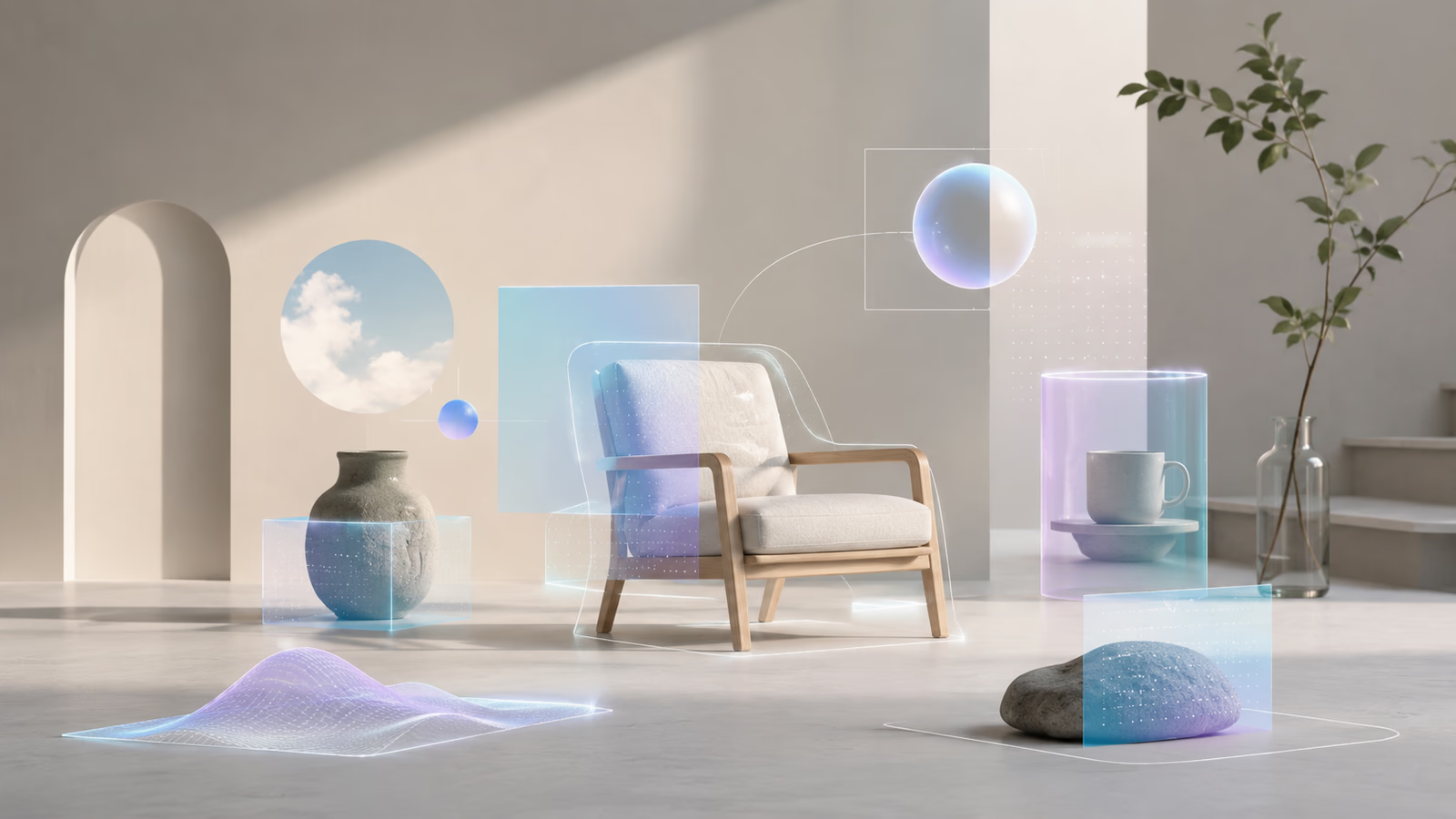
AR (Augmented Reality / 拡張現実) is a technology that overlays digital information — 3D models, text, video, sound, and characters — onto the real world in real time, typically through a smartphone, tablet, AR glasses, or a headset. Since Pokemon GO turned AR into a global phenomenon in 2016, AR has spread into tourism, education, medical, manufacturing, retail, advertising, and entertainment. This article walks through what AR means, how it works, how AR differs from VR, MR, and XR, popular use cases, and how to build AR apps with ARKit, ARCore, Unity, and WebAR.
What is AR? Meaning and Definition of Augmented Reality
AR stands for Augmented Reality, often translated into Japanese as 拡張現実. The core idea is simple: take the user's view of the real world — what they see through a camera or transparent display — and augment it with digital content such as 3D objects, characters, text labels, video, or audio. Unlike VR, AR does not replace reality. It enhances it.
A few everyday examples make the definition concrete: pointing a smartphone camera at a poster and seeing an animated character appear on top of it, trying on virtual makeup or eyeglasses through a face-recognition camera filter, viewing IKEA-style furniture in your living room before buying it, or following arrows that float on a real street to guide you to a destination. In all of these cases, AR overlays digital content onto the real world rather than replacing it.
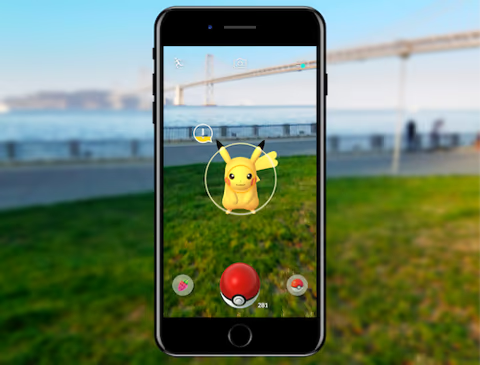
A representative AR app, "Pokémon GO" — a location-based AR game in which Pokémon appear in the real world. Image via Pokémon GO Help Center (Niantic).
How AR Works: The Mechanism Behind Augmented Reality
To overlay 3D content convincingly on top of reality, an AR app combines several technologies:
- Camera and sensors — the smartphone or headset uses the camera, gyroscope, accelerometer, and depth sensors to understand the surrounding environment.
- Image recognition / marker detection — for marker-based AR, the camera scans a printed marker (QR code, image, logo) and uses it as an anchor.
- SLAM and spatial recognition — for markerless AR, the device performs Simultaneous Localization and Mapping to build a real-time map of planes, walls, and objects.
- GPS / location services / VPS — for location-based AR, GPS and Visual Positioning Systems determine where the user is in the real world.
- Rendering engine — Unity, Unreal Engine, or native frameworks render 3D models with correct lighting and occlusion so they appear to exist in the scene.
- Display — the result is shown through a smartphone screen, tablet, AR glasses, or a head-mounted display.
AR vs VR vs MR vs XR: What's the Difference?
AR is often confused with VR (Virtual Reality / 仮想現実), MR (Mixed Reality / 複合現実), and XR (Extended Reality / クロスリアリティ). Here is a quick comparison:
- VR (Virtual Reality, 仮想現実) — the user wears a headset that fully covers the field of view and is immersed in a completely virtual world. Examples: Meta Quest, PlayStation VR, HTC Vive.
- AR (Augmented Reality, 拡張現実) — digital content is layered on top of the real world, which remains visible. Examples: Pokemon GO, Snapchat filters, IKEA Place.
- MR (Mixed Reality, 複合現実) — virtual objects and real objects coexist and interact, with the system understanding the geometry of the room. Examples: Microsoft HoloLens, Apple Vision Pro's pass-through mode.
- XR (Extended Reality, クロスリアリティ) — the umbrella term that covers AR, VR, MR, and everything in between.
A simple rule of thumb: VR replaces reality, AR adds to it, and MR blends them so they react to each other.
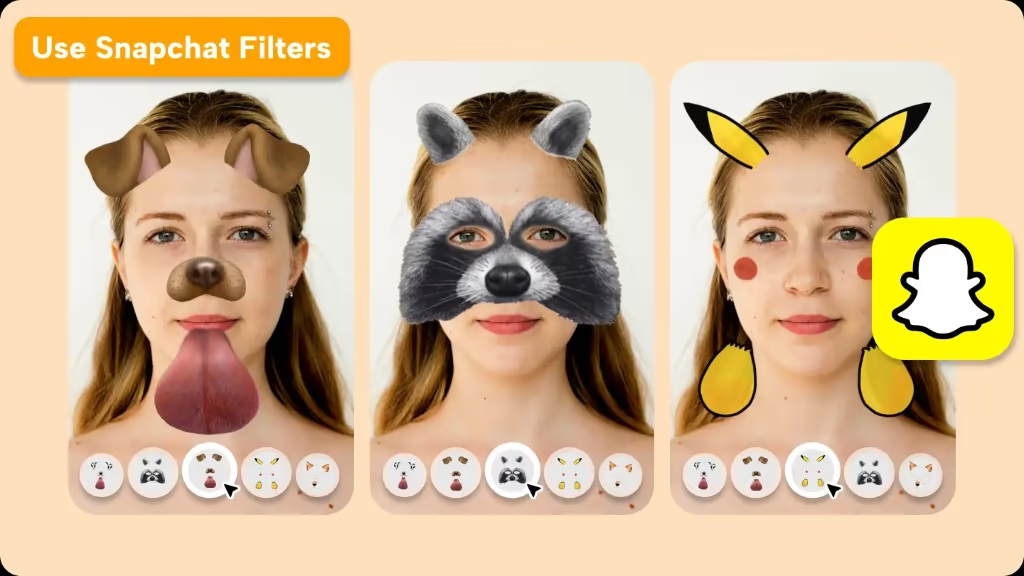
A familiar example of AR overlaying digital elements onto a real face. Snapchat face filters (dog ears, character-style makeup, etc.) are a form of AR that adds to reality rather than replacing it like VR. Image via CapCut.
A Brief History of AR
The word "Augmented Reality" was coined in 1990 by Boeing researcher Tom Caudell to describe a heads-up display used by aircraft technicians. Throughout the 1990s and 2000s, AR remained largely a research and industrial topic, with marker-based libraries like ARToolKit popularizing the technology among developers. The first AR boom for general consumers came in 2009–2012 with smartphone apps like Sekai Camera and Layar.
AR truly went mainstream in 2016 when Niantic released Pokemon GO, a location-based AR game using GPS that, at its peak, had hundreds of millions of monthly users. The same year, Microsoft launched HoloLens, the first commercially available mixed reality headset. Apple's ARKit (2017) and Google's ARCore (2018) then put markerless AR into the pockets of nearly every smartphone user, and Apple's Vision Pro (2024) signaled the next chapter of high-end consumer spatial computing.
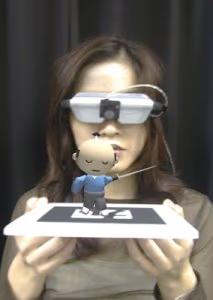
"ARToolKit," the software library that popularized marker-based AR — a 3D character appears on top of a real card. Image via ARToolKit Home Page (University of Washington HIT Lab).
Types of AR: 5 Main Categories
AR can be grouped into five main types depending on how the digital content is anchored:
1. Marker-Based AR
The camera detects a printed marker — a QR code, an image, or a logo on a poster, pamphlet, or business card — and renders a 3D model on top of it. Marker-based AR is highly reliable and used for advertising, promotions, photo frames, and educational books.
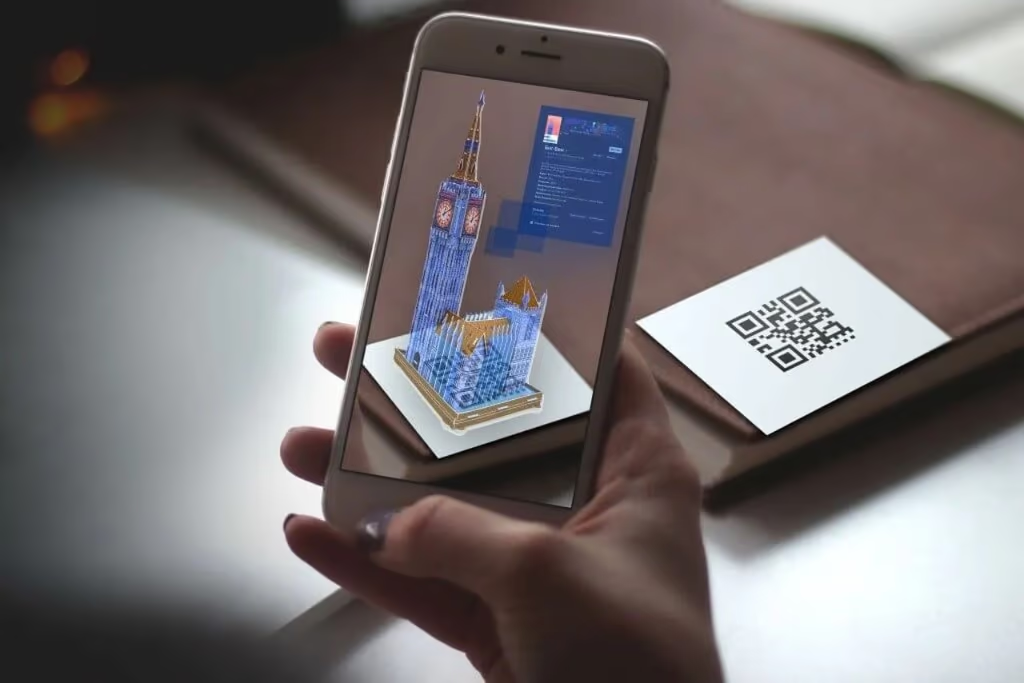
An example of marker-based AR: a printed QR code (marker) is recognized and a 3D model is displayed on the phone. Image via Fictionlab (source: help.evolvear.io).
2. Markerless / Spatial AR
Powered by ARKit, ARCore, and SLAM, markerless AR detects planes (floor, walls, tables) without any marker and lets users place objects directly in their environment. IKEA Place and many home design apps use markerless AR.
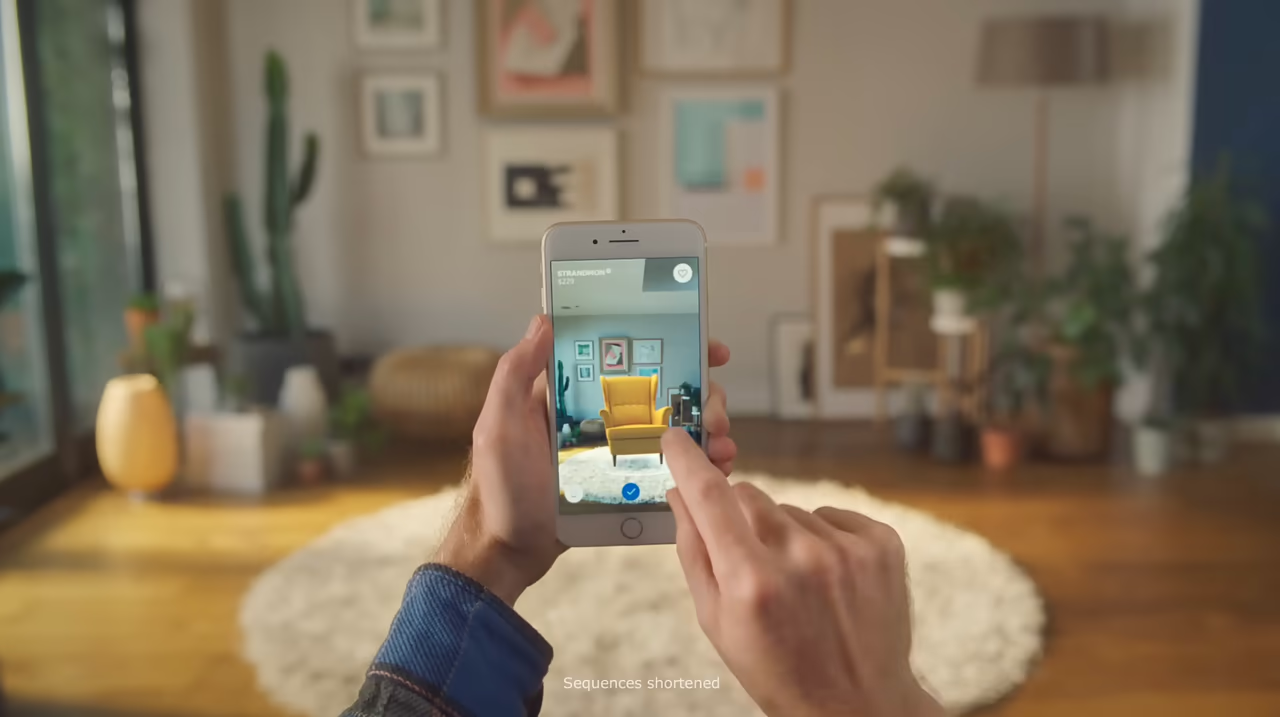
A representative markerless AR app, "IKEA Place," which detects the floor and lets you place furniture at true scale before buying. Image via IKEA Place (YouTube).
3. Location-Based AR
Uses GPS and a compass to display content tied to a real-world location. Pokemon GO is the canonical example, but city tourism apps, stamp rally campaigns, and location-based marketing also rely on this approach.

A tourism AR app example, "AR Osaka Castle," where historic warlords and the castle keep appear in AR at a real heritage site. Image via xeen Inc.
4. Projection-Based AR
Projects digital imagery onto real surfaces using projectors and depth sensors. Often used in retail windows, exhibitions, and theme parks. Recently it is also used for safety on factory and warehouse floors, projecting glowing, moving signs that can trigger alerts linked to forklift movement or equipment operation.
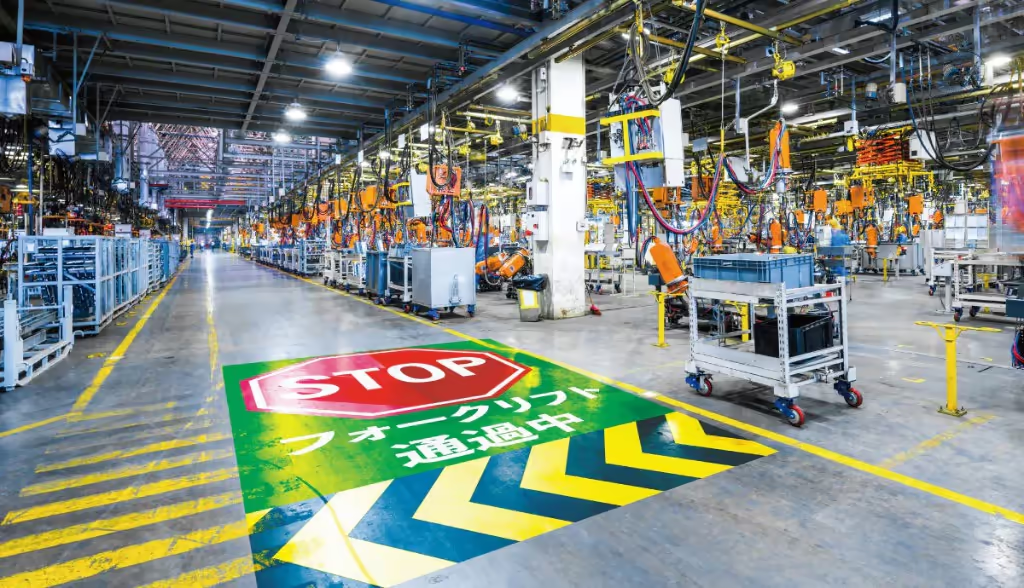
A projection-based AR example: projectors display glowing, moving signs on factory and warehouse floors for safety, with alerts that can be linked to people approaching or equipment operating. Image via CASIO.
5. WebAR
Runs in a smartphone browser without requiring users to download a native app. Built on WebXR, WebGL, and frameworks such as 8th Wall, AR.js, and Mind AR, WebAR is increasingly popular for marketing campaigns because users can launch the experience instantly by scanning a QR code.
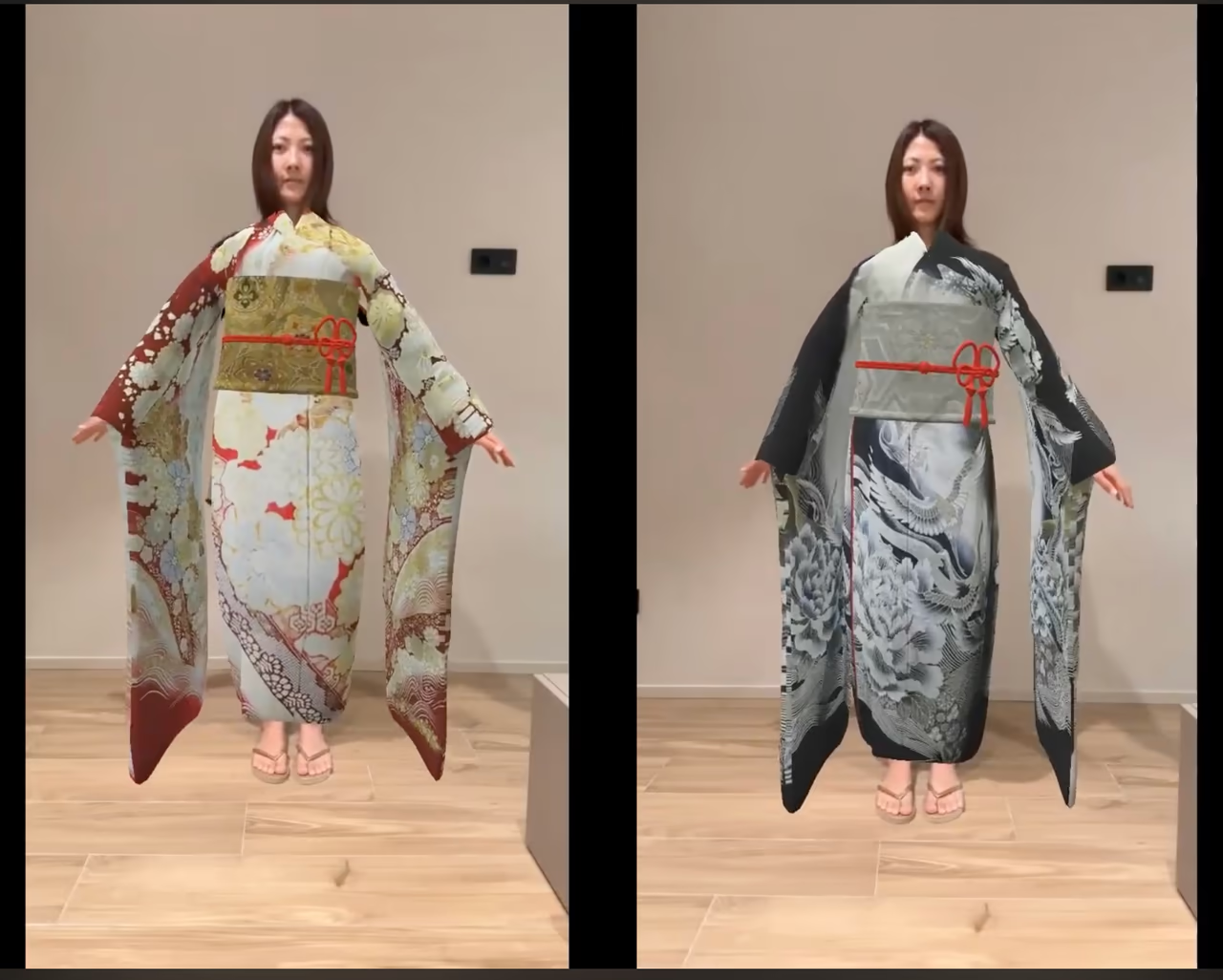
A WebAR example exhibited at Expo 2025 Osaka: a no-app, QR-launched virtual kimono try-on (body-tracking AR) for Tokamachi Yuzen. Image via vartique / ByAR for web (YouTube).
Real-World Use Cases for AR
Tourism and Local Revitalization
Tourist destinations use AR to bring history to life — visitors can point their smartphone at a castle ruin and see the original building restored in 3D, or follow an AR stamp rally that rewards them for visiting multiple landmarks. AR is increasingly used by local governments to drive tourism and regional revitalization.

A tourism / regional revitalization AR case, "Amakusa Tourism plus AR," using AR photo frames tied to local characters and manga to attract visitors. Image via Amakusa Lovers (ref: NTT Business Solutions).
Education
AR turns textbooks and worksheets into interactive 3D experiences. Students can examine the human body, manipulate molecules, or watch historical events unfold on their desks, dramatically improving engagement and understanding.
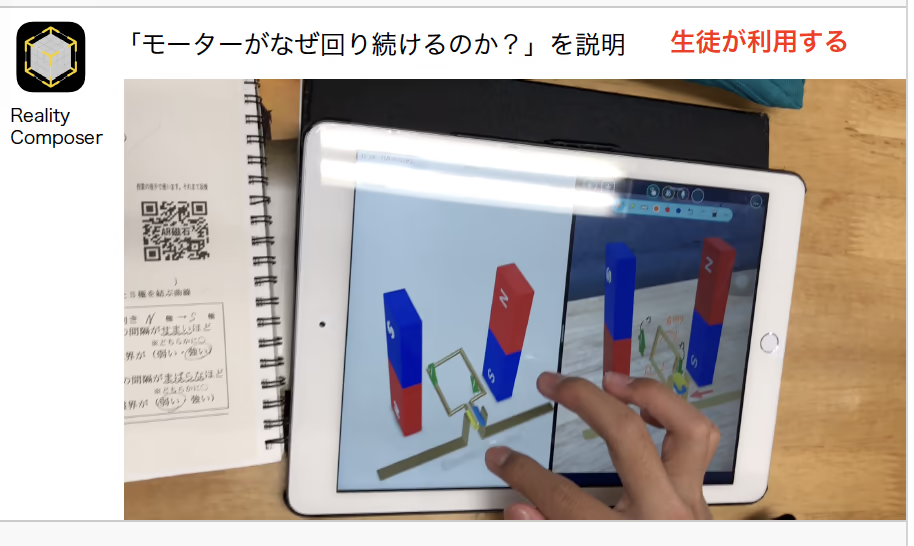
An education AR case: an iPad AR teaching material visualizes "why a motor keeps spinning" in 3D so students can learn proactively. Image via LoiLoNote School Support.
Medical
Surgeons use AR headsets to overlay CT and MRI data directly on a patient during operations, improving precision and reducing risk. Medical training, anatomy education, and rehabilitation all benefit from AR's ability to visualize complex 3D structures.
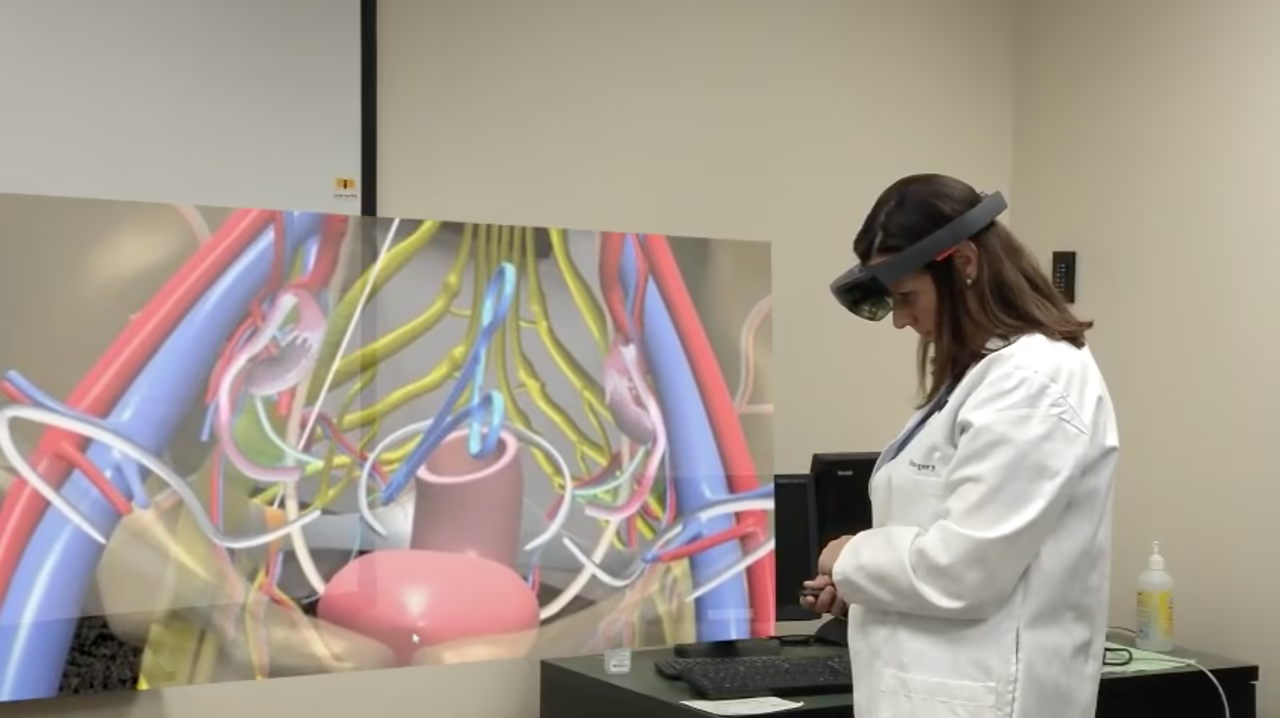
A medical AR case: mixed reality smartglasses display anatomy as a 3D hologram to teach surgical anatomy. Image via "Augmented reality for surgical education" (YouTube, Lauren Siff, MD).
Manufacturing and Industrial AR (IAR)
Industrial Augmented Reality (IAR) helps factory workers see assembly instructions, machine status, and inspection checklists overlaid directly on the equipment in front of them. Companies like PTC, Microsoft, and Boeing have shown that AR can reduce error rates and training time on assembly lines.
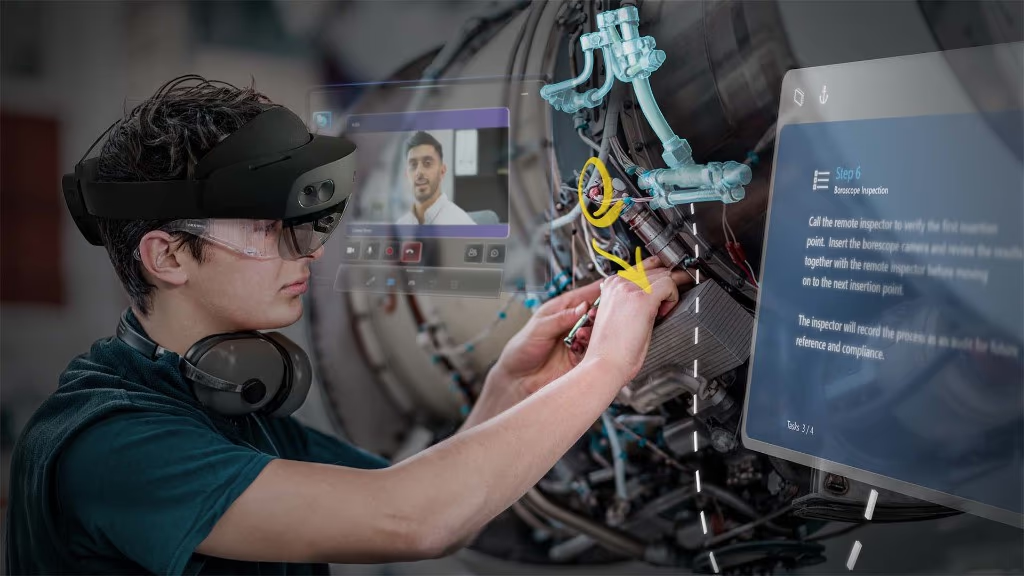
A manufacturing / industrial AR (IAR) case: Microsoft HoloLens 2 shows step-by-step work instructions and remote assistance as holograms for hands-free inspection and maintenance. Image via Microsoft News Center Japan.
Retail and E-commerce
From virtual try-on of clothes, shoes, eyeglasses, and cosmetics to placing furniture in your home before purchase, AR is reshaping retail and EC. Major brands deploy WebAR campaigns to let customers experience products without installing an app.
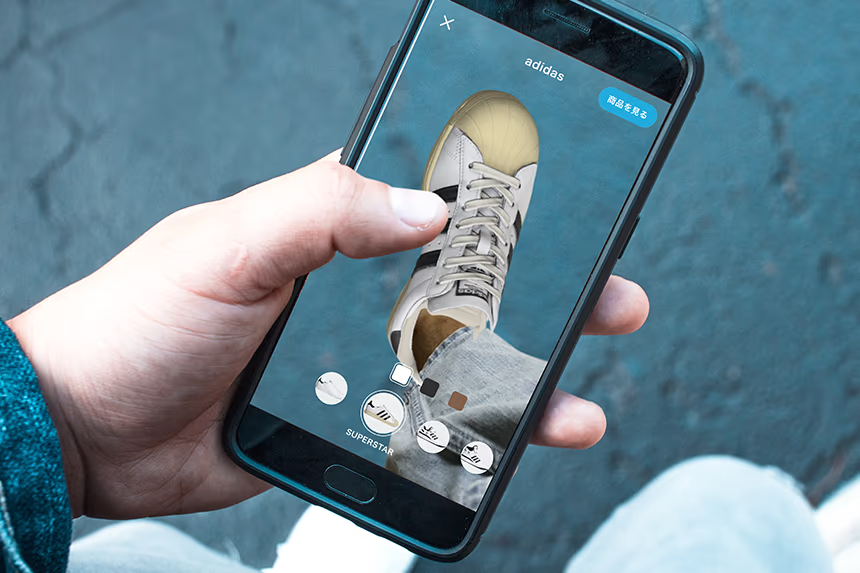
A retail / EC AR case: ZOZOSHOES lets shoppers try on adidas sneakers in AR simply by holding their phone over their foot. Image via ZOZO, Inc.
Marketing and Advertising
AR powers interactive posters, pamphlets, AR business cards, AR fitting rooms, AR photo frames, AR-driven promotions, AR stamp rallies, and AR campaigns tied to TV shows, anime, and characters. Marketers love AR because it boosts engagement, generates social shares, and provides rich effect measurement.
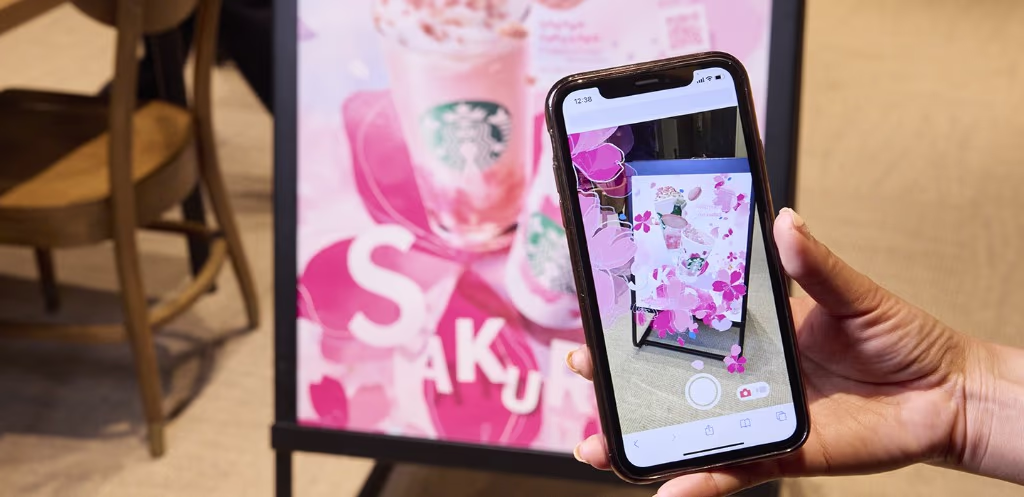
A representative AR poster campaign: Starbucks "Sakura AR." Scanning the QR code on the in-store poster makes cherry blossoms bloom — a seasonal marketing experience. Image via Starbucks Stories Japan.
Entertainment and Games
Beyond Pokemon GO, AR is used for live concerts, stadium experiences, AR filters on Instagram and Snapchat, anime collaborations, and games that turn your living room into a battleground.

An entertainment AR case, "Tom and Jerry AR." In a collaboration with Tully's Coffee, scanning the QR code on a collaboration-drink receipt brings the characters to life in AR. Image via Tom and Jerry official X.
How to Make AR: ARKit, ARCore, Unity, and WebAR
Building an AR app today is much simpler than it was a decade ago. The most common toolchains are:
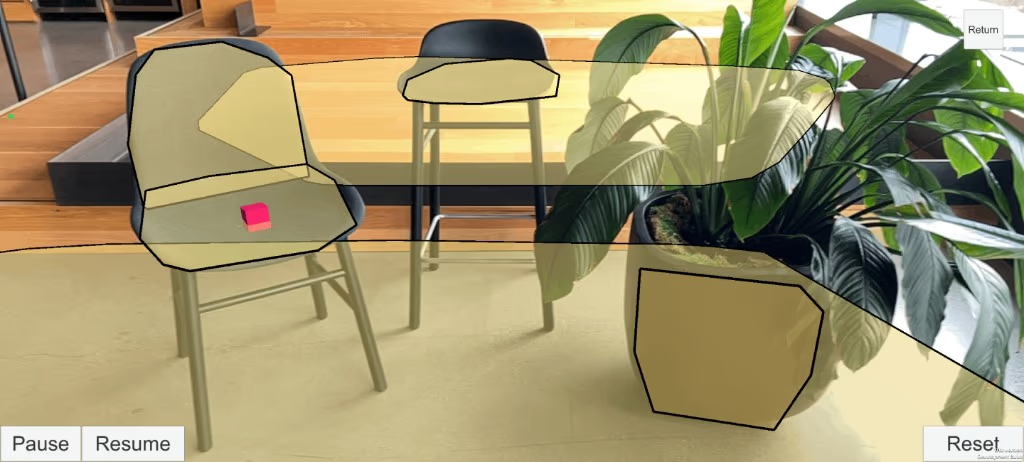
Unity AR Foundation lets you build AR apps that target both ARKit and ARCore, with cross-platform plane detection and mesh recognition. Image via Unity AR Foundation documentation.
- ARKit (iOS) — Apple's native AR framework for iPhone and iPad with strong support for markerless tracking, face tracking, body tracking, and LiDAR-based scene understanding.
- ARCore (Android) — Google's equivalent framework for Android devices.
- Unity AR Foundation — a cross-platform layer that lets a single Unity project target both ARKit and ARCore, by far the most popular choice for commercial AR development.
- Unreal Engine — used for high-end AR/VR projects, especially in entertainment and architecture.
- WebAR (8th Wall, AR.js, Mind AR) — for browser-based AR campaigns with no app install.
- No-code platforms (CoCoAR, LESSAR, palan AR, etc.) — let marketers and small businesses publish marker-based AR experiences without writing code.
Latest AR Trends: Apple Vision Pro, Smart Glasses, and 5G
The 2024 launch of Apple Vision Pro brought mixed reality to a new audience and pushed the conversation from "AR app on a phone" to "spatial computing." Meta, Samsung, Google, and Xreal are all racing to release lightweight smart glasses, while 5G and edge computing make cloud-rendered AR experiences smoother. Combined with AI-driven object recognition, AR is on track to become a default layer of how we interact with information.
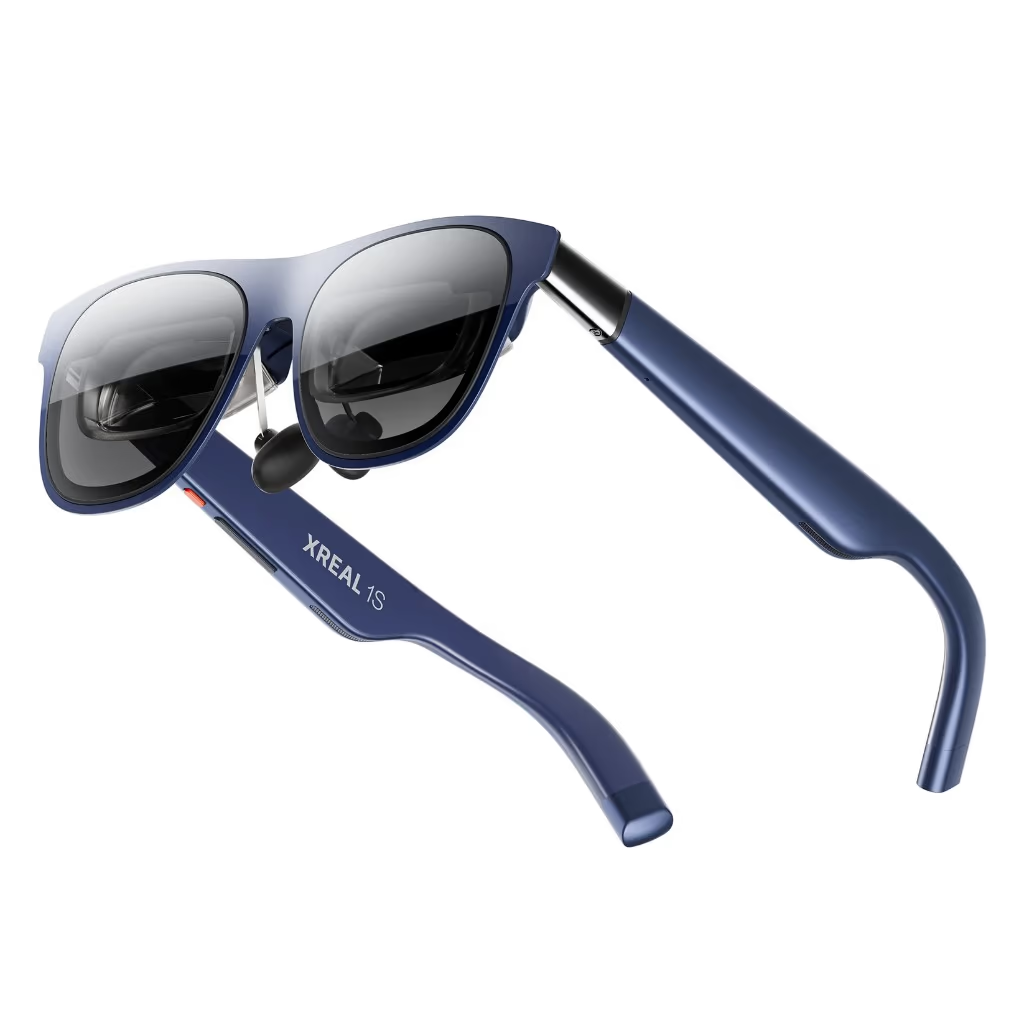
Lightweight AR glasses ("XREAL 1S"). Image via XREAL JP Shop.
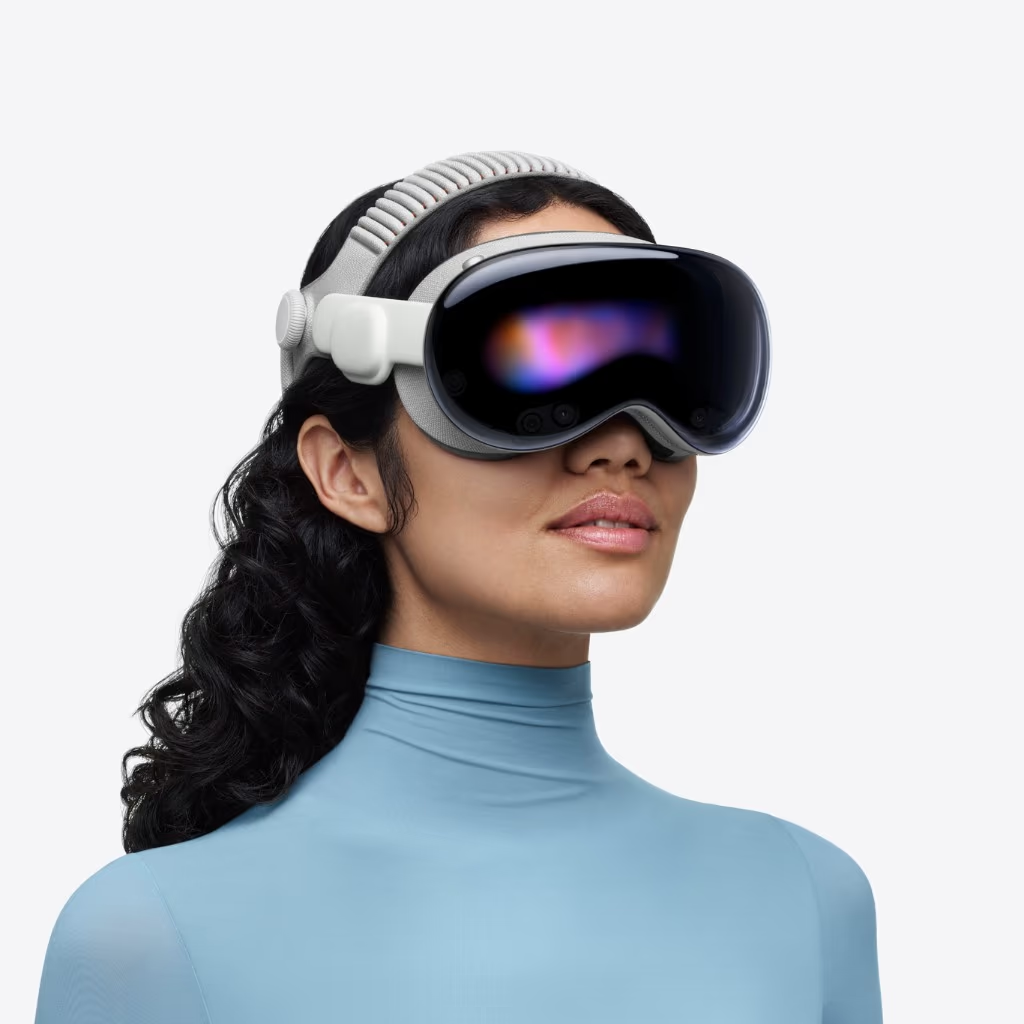
"Apple Vision Pro," a device for spatial computing. Image via Apple.
How Portalgraph Relates to AR
Portalgraph is a VR projection technology that uses ordinary projectors, TVs, and LED displays to render stereoscopic 3D content based on the viewer's head position. While Portalgraph is technically VR (the viewer wears lightweight stereoscopic glasses, not an HMD), the experience has a strong AR-like quality: users can see the real world around them while a virtual space appears on the other side of the screen, and multiple people can share the experience together.
For events, exhibitions, retail, and education where bulky AR headsets are impractical, Portalgraph offers a complementary path — combining the immersion of VR with the situational awareness of AR, deployed on hardware that any venue already owns.
Portalgraph — VR projection technology with AR-like situational awareness
Conclusion
AR (Augmented Reality / 拡張現実) overlays digital content onto the real world and has already become a familiar part of smartphones, smart glasses, and headsets. From Pokemon GO to Apple Vision Pro, from marker-based posters to WebAR campaigns, AR is being adopted across tourism, education, medical, manufacturing, retail, marketing, and entertainment. Understanding the difference between AR, VR, MR, and XR — and choosing the right type of AR for the right purpose — is now an essential literacy for anyone building digital experiences.