
Cutting-edge VR projection
without blocking the user's vision







Transform Unity Scenes
Just drop Portalgraph assets into your Unity scene, and instantly open a Portal to another dimension
Screens Open Up a New Space
Combining multiple screens to create diverse VR environments
Projectable Environments
Easily Convert Daily Life into VR Space
1
Screen
Supports multiple screens
2
PC Desktop
Using regular LCD displays
3
On Tables
Projecting 3D models on tabletops
4
3D TV
Turn 3D TVs into VR space
Ways to Use Portalgraph
Assembled to fit any space
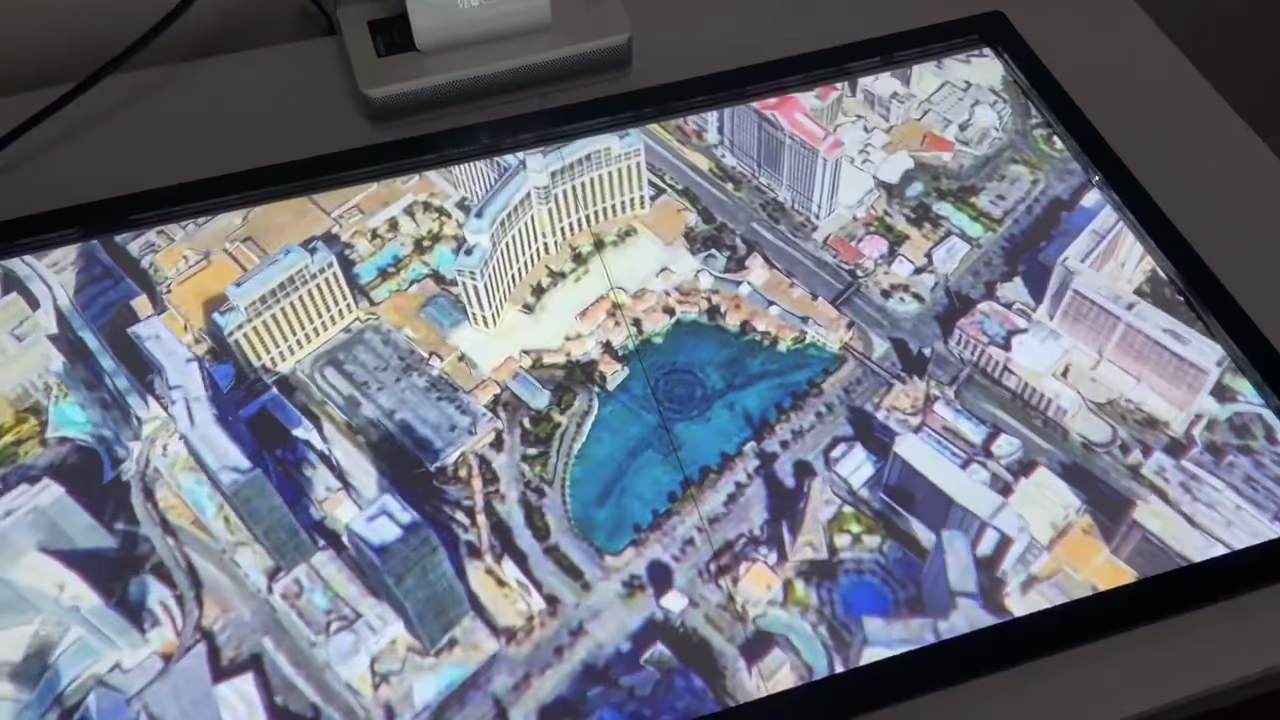
Touch-operable holographic city with a tabletop projector
Compact. Lightweight. Affordable.
Brings new spaces into your everyday life
| VR Goggles | Portalgraph | |
|---|---|---|
| Comfort | Hot, stuffy, and heavy Hot, stuffy, and heavy | Light as glasses and a hat Light as glasses and a hat |
| Safety | Vision blocked, unsafe Vision blocked, unsafe | Full awareness of environment Full awareness of environment |
| Immersion | Complete VR environment Complete VR environment | Blends virtual with reality Blends virtual with reality |
| FOV | Around 100° Around 100° | Adaptable, can exceed headsets Adaptable, can exceed headsets |
| Appearance | Conspicuous, socially isolating Conspicuous, socially isolating | Discreet, socially acceptable Discreet, socially acceptable |